St Peter's CofE Primary and Nursery School Gringley-on-the-Hill
Safeguarding
At St. Peter’s C of E Primary and Nursery School, safeguarding is everyone’s responsibility.
Pupils, staff and Governors are committed to keeping children safe from harm and ensuring their well-being and welfare are always our highest priority.
We work hard to create a school where children feel safe, listened to, and cared for every day.
Our Duty to Safeguard
If we have a safeguarding concern, we have a legal duty to share information with the appropriate safeguarding individuals or agencies. This may include:
-
The Multi-Agency Safeguarding Hub (MASH)
-
Family Services
-
Social Care / Social Services
We always act in the best interests of the child and follow local and national safeguarding guidance.
What to Do If You Have a Concern
If you are worried about a child, please do not hesitate to talk to us.
Concerns are always taken seriously and handled with care and confidentiality.
-
Senior Designated Safeguarding Lead (DSL): Yvonne Reeson
-
Deputy Designated Safeguarding Lead: Bettina Houghton
You can speak to a member of staff at the start or end of the day, or contact the school office to arrange a private conversation.
Policies and Guidance
Our Safeguarding and Child Protection Policy is available in the Policies section of the website.
This document explains how we protect children, respond to concerns, and work with external agencies.
Staff Training
All staff complete annual safeguarding training to ensure they understand their responsibilities and current guidance.
-
Most recent whole-school safeguarding training:
1st September 2025
Safeguarding underpins everything we do at St. Peter’s. By working together with families and professionals, we help children feel safe, valued, and ready to learn.
Prevent Duty
At St. Peter’s C of E Primary & Nursery School, safeguarding and promoting the welfare of all our pupils is at the heart of everything we do.
We recognise that protecting children from radicalisation is part of our wider safeguarding responsibility, just like protecting them from any other form of harm or vulnerability.
The Prevent Duty came into force on 1st July 2015, as part of Section 26 of the Counter-Terrorism and Security Act 2015.
This duty places a responsibility on schools and local authorities to have due regard to the need to prevent people from being drawn into terrorism.
At St. Peter’s, this means:
-
Staff are trained to recognise potential signs of vulnerability
-
Concerns are shared appropriately, following safeguarding procedures
-
We work with families and external agencies where needed
As part of our commitment to safeguarding and child protection, St. Peter’s fully supports the government’s Prevent Strategy.
We believe that strong relationships, open communication, and early support are key to keeping children safe and helping them thrive.
British Values
All staff uphold and promote the fundamental British Values, which are embedded across school life and the curriculum:
-
Democracy
-
The rule of law
-
Individual liberty
-
Mutual respect
-
Tolerance of those with different faiths and beliefs
These values help children develop respect for others, understand right and wrong, and take an active, positive role in their community and the wider world.
If you have any questions or concerns, we encourage you to speak to a member of the school team.
Mobile Phones
At St. Peter’s C of E Primary and Nursery School, the safety and well-being of our children always come first. To help keep everyone safe and focused on learning, we have clear expectations about the use of mobile phones in school and during school activities.
Pupils
As a general rule, pupils are not permitted to bring mobile phones to school or on school trips.
Exceptional circumstances
In rare cases, a mobile phone may be allowed if this has been agreed in advance with the Headteacher.
If a parent wishes their child to bring a mobile phone to school for contact after school:
-
The phone must be switched off
-
It must be handed in to the school office at the start of the day
-
The phone will be stored securely during the school day
-
It will be collected from the office at home-time, after the child has been dismissed by their class teacher
-
Phones are brought into school at the owner’s own risk
Any mobile phone brought into school or used without permission will be confiscated and must be collected by a parent or carer.
Staff
Teachers and teaching assistants do not use personal mobile phones to take photographs or record learning.
-
School-owned iPads are used for:
-
Capturing learning evidence
-
Recording activities
-
Supporting teaching and assessment
-
This ensures images are stored safely and handled in line with our safeguarding and data protection policies.
Parents and Visitors
To help protect children’s privacy and safety, we kindly ask that parents and visitors:
-
Do not use mobile phones within the school building or grounds
-
Never take photographs or videos without prior permission from the school’s leadership team
School events
If photographs are permitted at events:
-
Images must be of your own child only
-
Photographs should not be shared on social media unless they show only your child
We appreciate your support in helping us keep all children safe.
Related Policies
This guidance should be read alongside our:
-
Safeguarding and Child Protection Policy
-
Data Protection (GDPR) Policy
These are available in the Policies section of the website.
The Safer Schools App
Safer Schools is a multi-award-winning safeguarding ecosystem, created to educate, empower and protect your entire school community, in a digital World.
This app will give you access to ALL of the safeguarding information that you need.
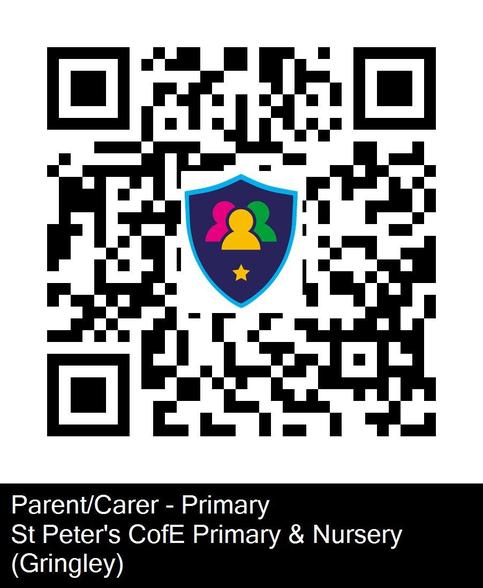
Step 1: download the Safer Schools App from the App store
Step 2: Scan the QR code into your phone
Step 3: Scan the QR code below to access the St. Peter's Safer Schools portal:
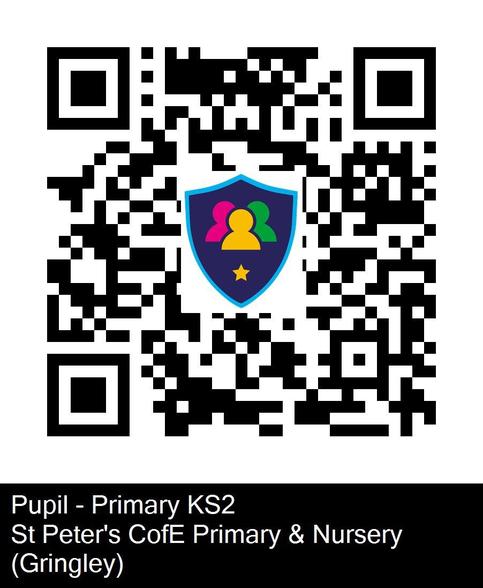
If you would like your KS2 child to have access to the Safer Schools App, there is a child-friendly version.
Please follow the steps above then scan the pupil QR code below: